Getting started1 min read
Find your way around the app
Find your overview, documents, invoices, Inbox and connections.
Once the setup chat is done, tap “Go to dashboard.” From there, the navigation bar gives you access to everything you need.
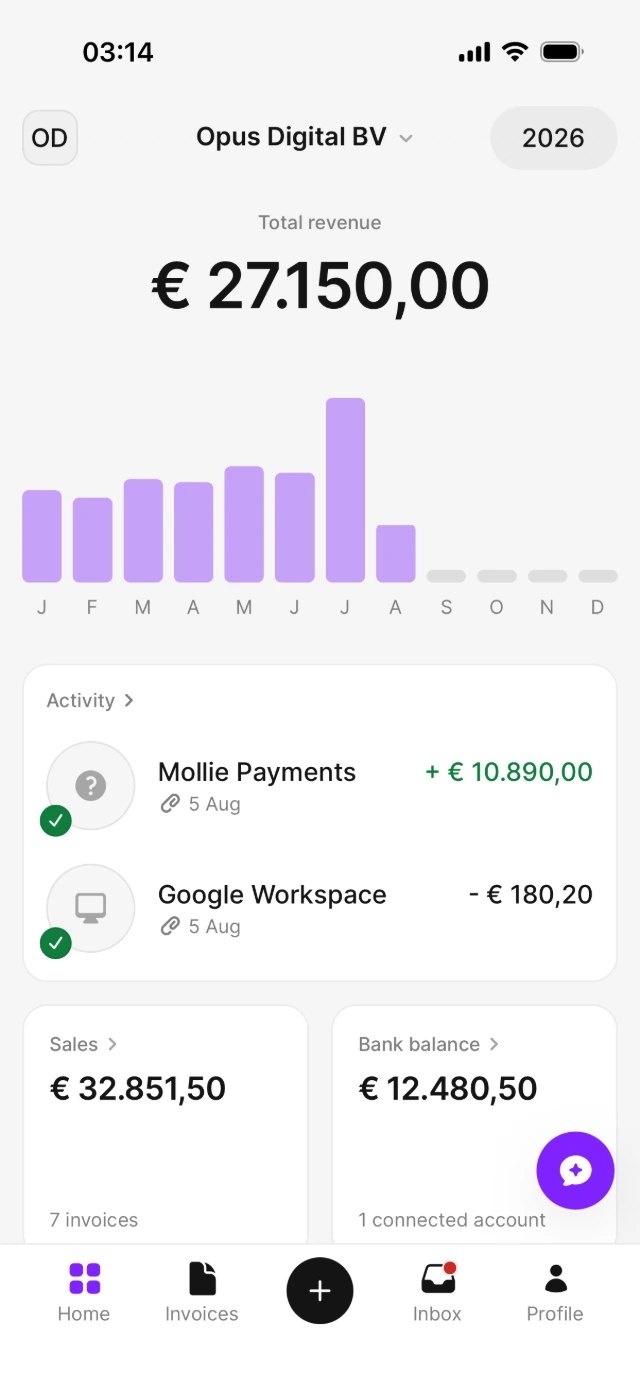
Home
See your financial overview at a glance — and jump straight to your sales, bank balance and recent activity.
Ask Bill
Tap the floating AirBill button to open the chat and ask questions about your business.
Add (+)
Photograph or upload receipts, purchase invoices and other documents.
Invoices
Create, send and track your sales invoices.
Inbox
Invite your accountant from here. Once they’re connected, their questions, tasks and reports arrive in this inbox.
Profile
From Profile, you can manage your bank and email connections, company details and notifications.
View the AirBill getting-started guide
Need a hand?
Get in touch with your question about AirBill. We’re happy to help.