Bill & your accountant1 min read
Work with your accountant
Answer questions, add missing receipts and review reports in your Inbox.
Open your Inbox to invite your accountant. Once they’re connected, their questions, tasks and reports arrive in this inbox.
Not connected to your accountant yet?
Invite any accountant by email or share an invitation link. They accept it in AirBill’s web portal. If they’re new to AirBill, they can create an accountant account first. They receive access only after accepting.
After your invitation is accepted, they see the business administration you keep in AirBill: your documents, matched transactions and your conversations together.
Add a missing receipt
Your accountant can ask for a receipt directly on the relevant transaction. Upload it in the conversation and keep the context together.
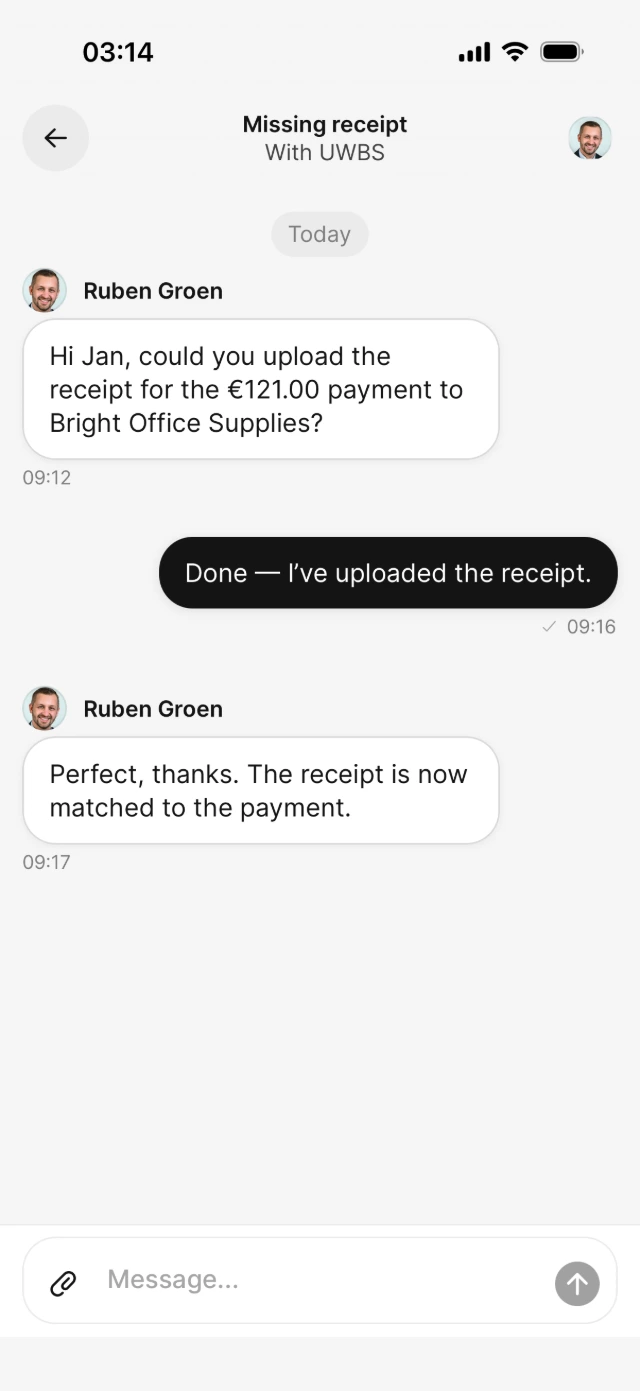
Answer a transaction question
Quickly explain whether a payment was business or private without starting a separate email thread.
Review your VAT report
When a report is ready, review it in AirBill, request changes if necessary or approve it for filing.
Sending a receipt in a conversation keeps it with the question. Check the document or entry afterwards; a chat attachment alone does not confirm that the receipt has been booked or matched.
View the AirBill getting-started guide
Need a hand?
Get in touch with your question about AirBill. We’re happy to help.