Getting started2 min read
Set up AirBill yourself
Create your account, find your company and connect your business bank account.
You can get started with AirBill yourself. You don’t need an invitation or an accountant. Download the app from airbill.app and follow the short setup chat.
1. Create your account
Open AirBill and continue with Google, Apple or your phone number.
2. Find your company
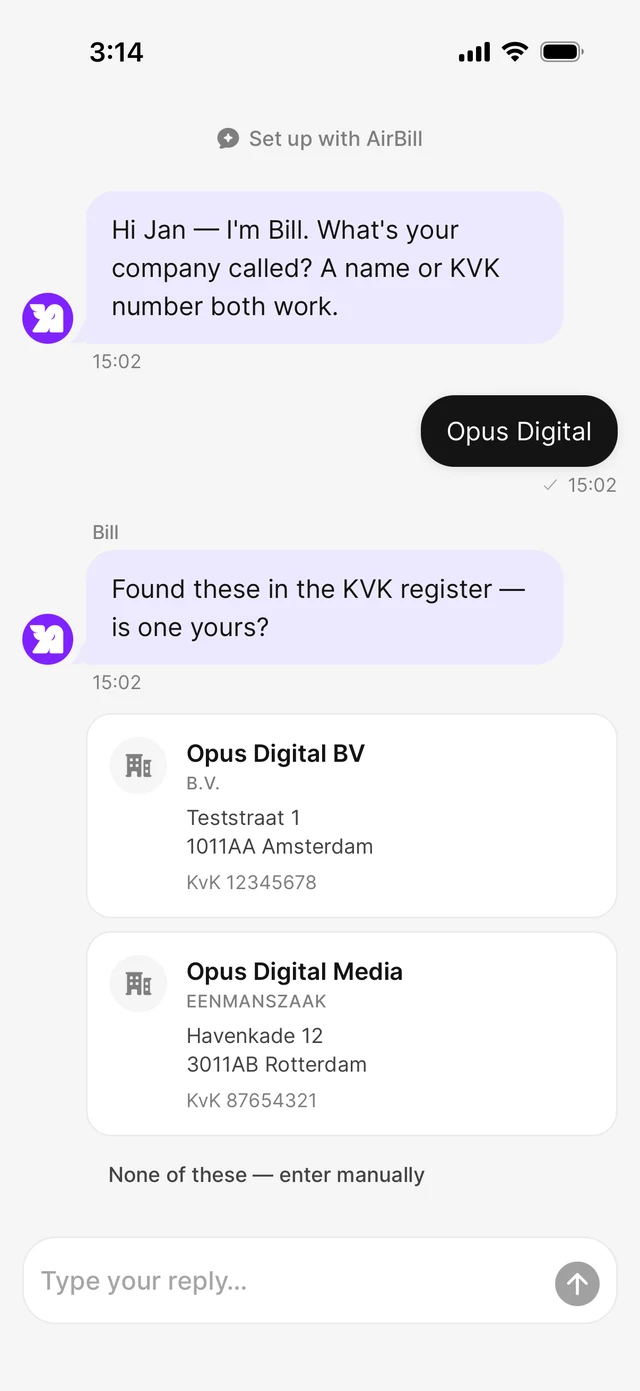
Type your company name or KVK number — AirBill looks it up in the KVK register and you pick the right one.
3. Connect your bank — or skip
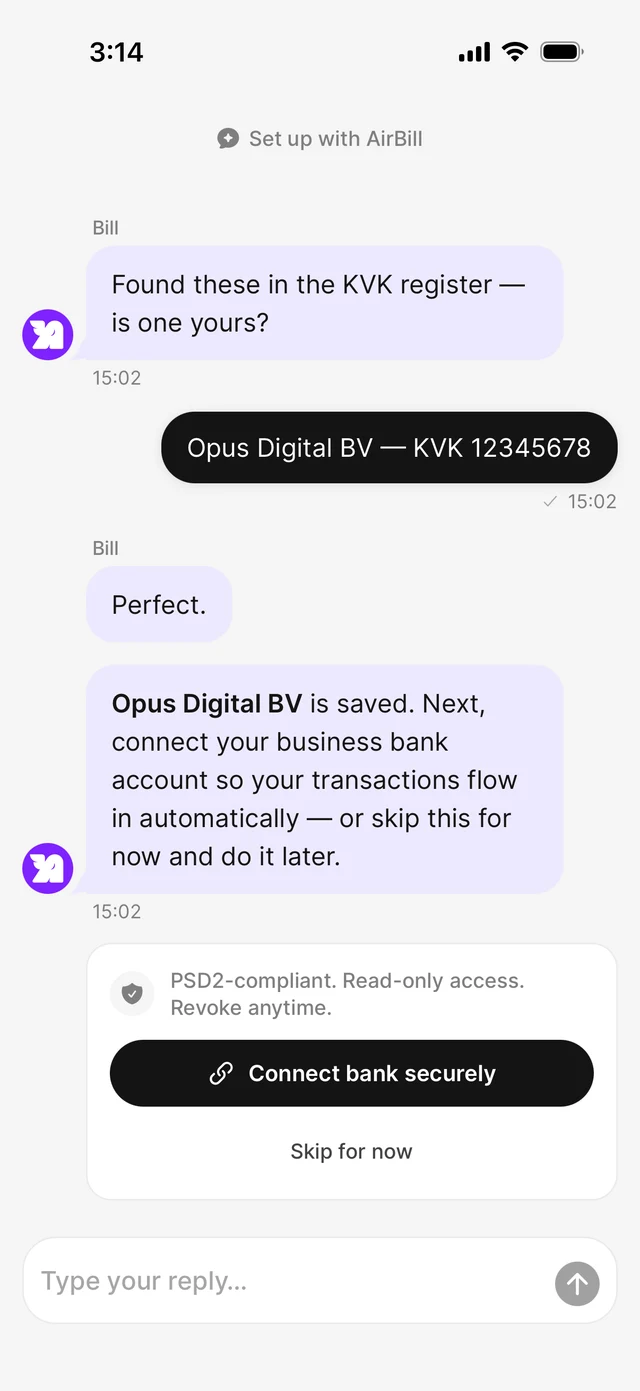
Link your business account so transactions flow in automatically — read-only. Select only this administration’s accounts, not private ones or other businesses.
4. Finish and open your dashboard
Review the setup summary and open your dashboard. Check imported documents and transactions as they arrive; completing setup is not confirmation that the bookkeeping is complete.
Invite your accountant later
You can start on your own. Whenever you want one involved, invite them from your Inbox or from your setup tasks.
Invite any accountant by email or share an invitation link. They accept it in AirBill’s web portal. If they’re new to AirBill, they can create an accountant account first. They receive access only after accepting.
Connections make AirBill more useful, but you decide what to connect — and you can add or remove sources later.
View the AirBill getting-started guide
Need a hand?
Get in touch with your question about AirBill. We’re happy to help.